Break a tie
When the rules cannot separate two entrants, the head judge decides and an Admin records it.
Who can do thisSuper AdminAdminAuditorTabulator
After you compute a round, the placements are on its Round Results tab. Two entrants with the same score are tied. Tallybox first tries the round's tie-break rules in order. Only a tie that these rules cannot settle is flagged, and that is the one a person must decide. Auditors and Tabulators can read the tab; only a Super Admin or an Admin can record the decision.
Spot a tie
- Go to Rounds and choose View on the computed round
- Choose the Round Results tab
- Look at the Is tied columnA green tick means that entrant is still tied. The tied entrants share a rank.
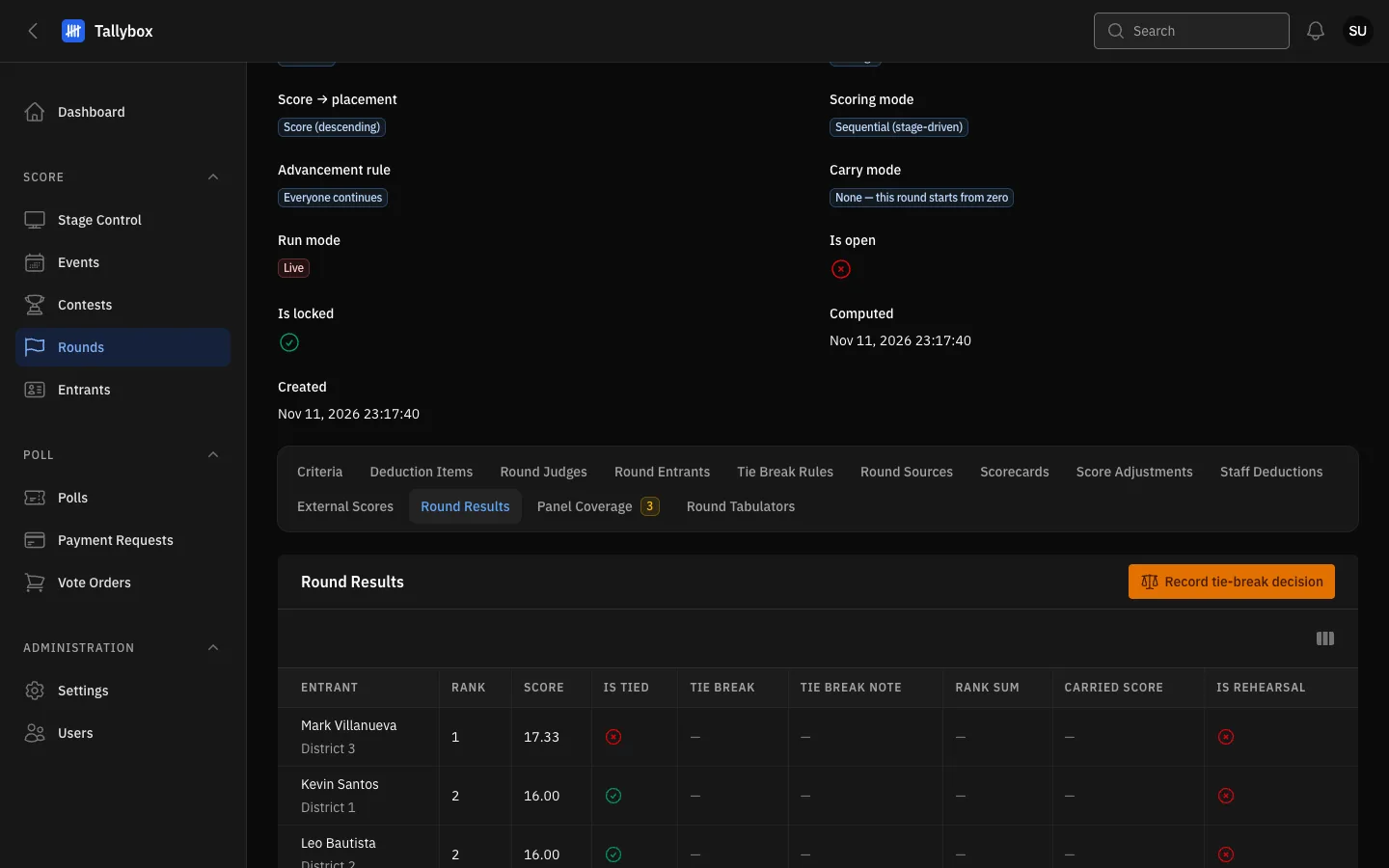
- Round Results tab.
- Record tie-break decision: appears only while the round has an unsettled tie.
- Is tied: a green tick marks an entrant who is still tied.
Record the head judge's decision
- Ask the head judge how the tied entrants rank, best to worst
- Choose Record tie-break decision
- Pick the Tied rank to resolveEach choice names the entrants tied at that rank.
- Pick every entrant tied at that rank in the Order, best to worst
- Write the Reason
- Choose Confirm
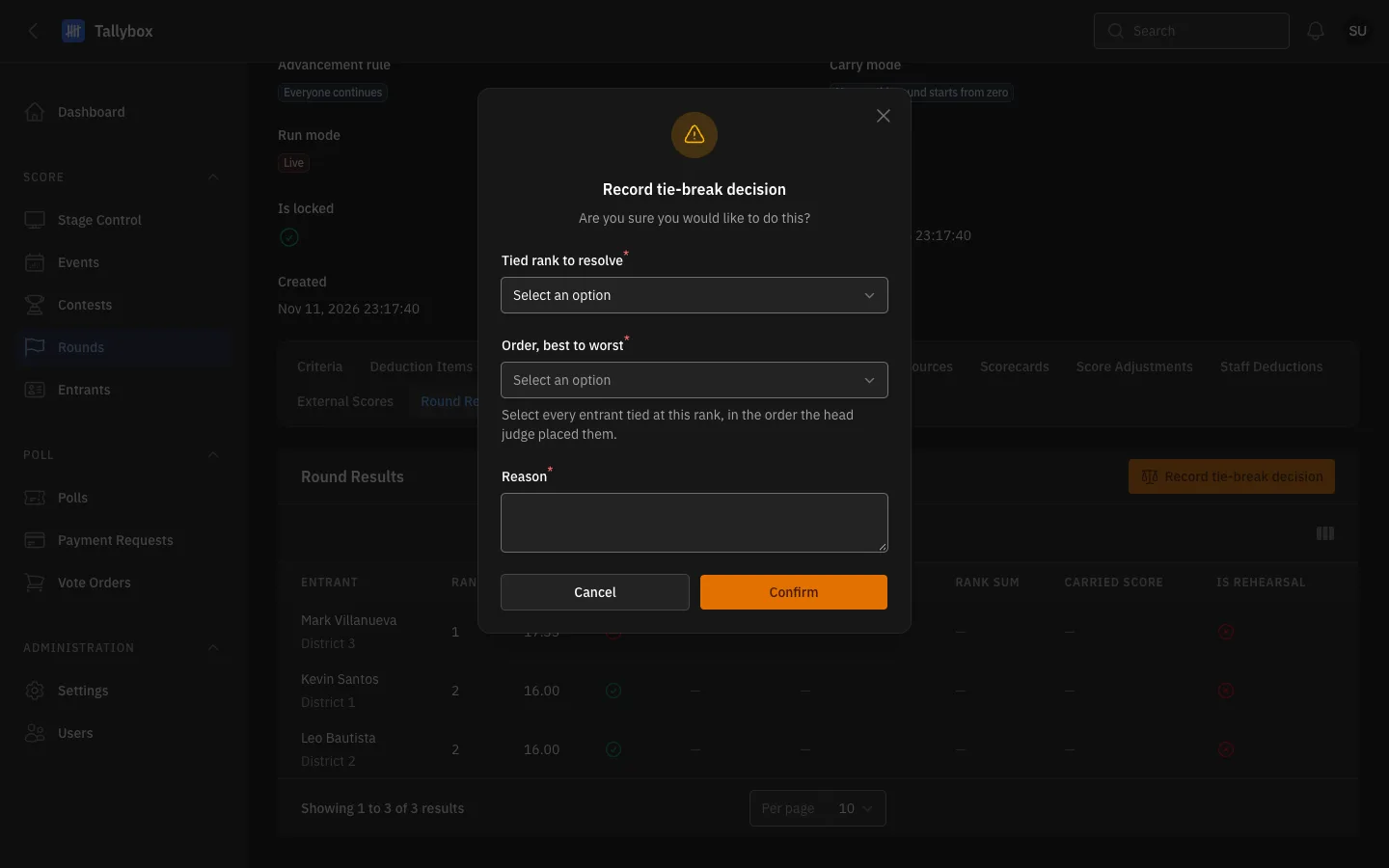
- Tied rank to resolve: pick which group of tied entrants you are settling.
- Order, best to worst: choose every tied entrant, in the order the head judge placed them.
- Reason: required.
- Confirm: records the decision.
Ties in an award
An award based on a criterion can tie too. On the contest, open the Awards tab and choose Record tie decision on that award's row. It appears only on criterion awards, and if there is no tie Tallybox tells you so instead of recording anything. See Set up awards.
How scores turn into placements, and why ties happen, is explained in How scoring works.