Follow the live scoresheet
See every judge's scores for every entrant on one page while the round is still running.
Who can do thisSuper AdminAdminAuditorTabulator
The live scoresheet is a read-only table. Each entrant is a row and each judge has a block of columns with their scores, total and rank for that entrant. It is the quickest way to see how the round is going. Tabulators see it only for rounds they are crewed on.
Open it
- Go to Rounds and choose View on the round
- Choose Actions, then Live scoresheet
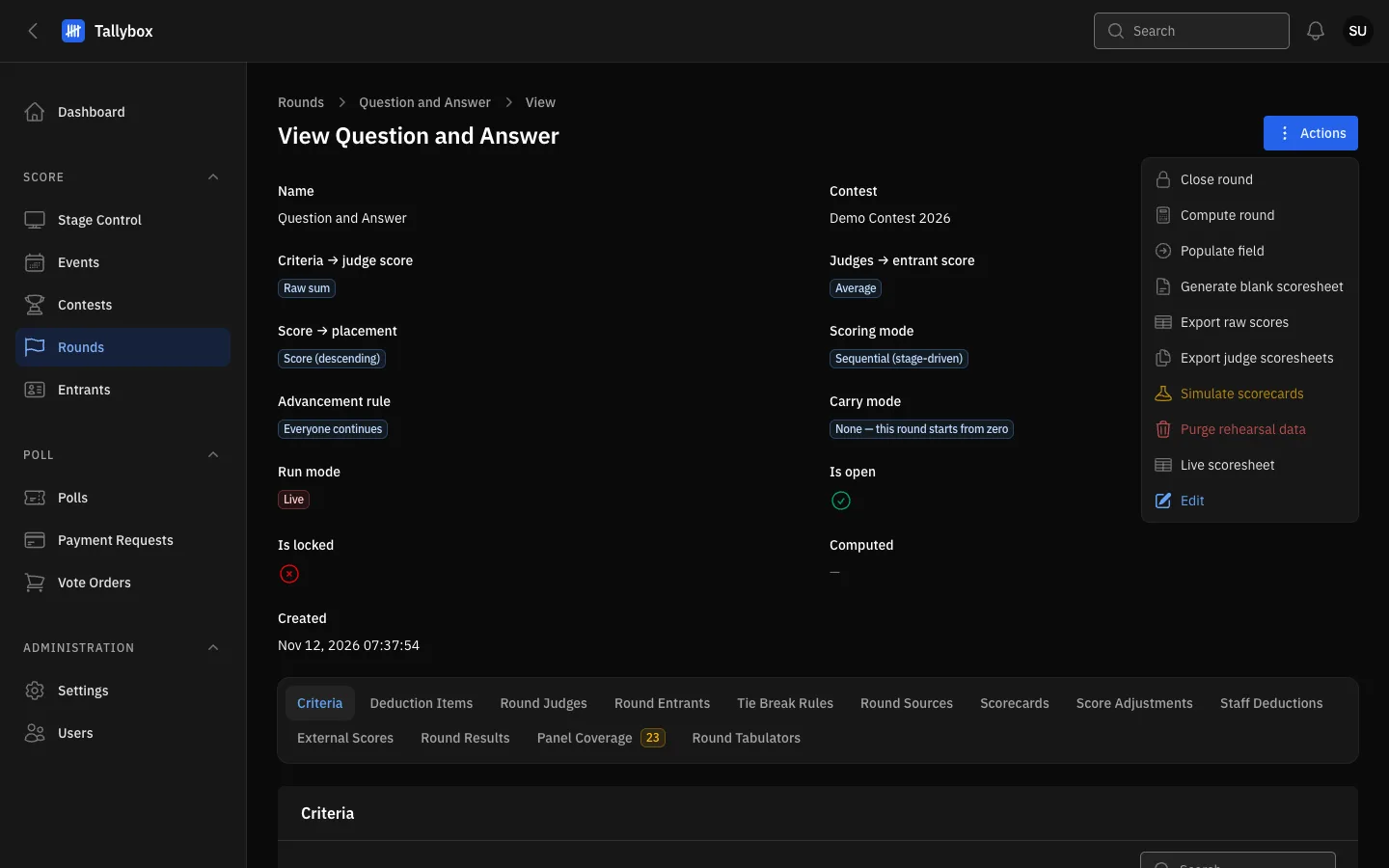
- Actions menu.
- Live scoresheet: opens the scoresheet for this round.
Read the sheet
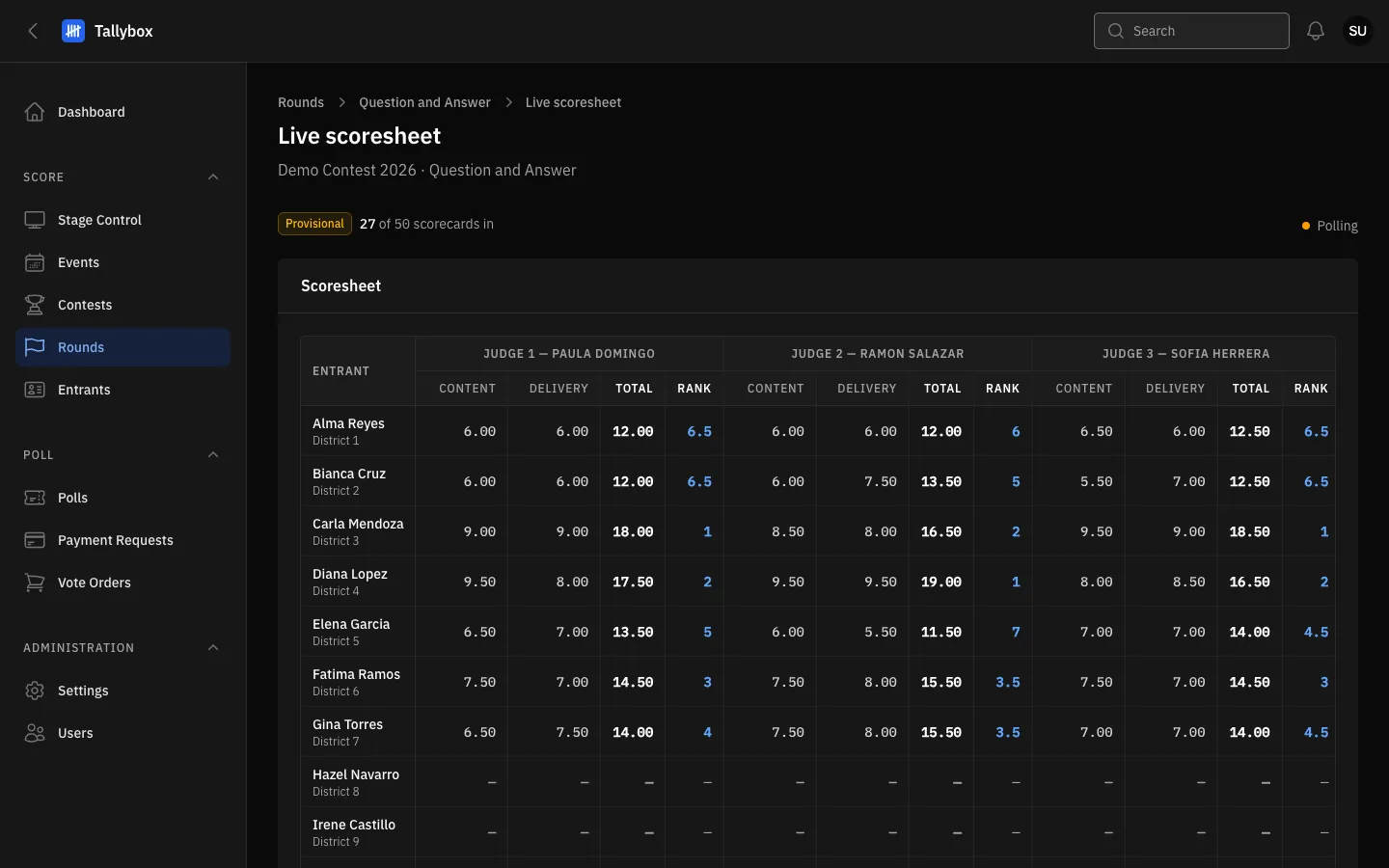
- Provisional: the numbers can still change. It becomes Official once the round is computed.
- Progress: how many scorecards have arrived out of how many are expected.
- How the page stays current: see below.
- Each judge has their own block: one column per criterion, then Total and Rank.
- A dash means that judge has not scored that entrant yet.
Scores here are not official until you compute the round. The Provisional tag turns into Official after the round is computed. If a score changes after that, a red message says the official results are stale and you must compute again. The same happens when a staff deduction changes. Computing is covered in Compute results.
How the page stays up to date
With live updates on, the page refreshes by itself the moment a judge submits, and a green Connected dot shows next to the progress. If live updates are not available, the dot is amber and says Polling: the page then checks for new scores about every five seconds instead. Either way you do not need to reload.
To find out who has not yet scored, use the Panel Coverage tab. To change a score, see Enter and amend scores.