Open and close a round
A round takes scores only while it is open. Open it when judging starts and close it when the last entrant has been scored.
Who can do thisSuper AdminAdminModerator
A new round starts closed, so judges cannot score it yet. Opening it lets the panel start scoring. Do this from the round's page, which you reach under Rounds. Before you open, check that the panel of judges and the entrants are set up. See Configure what a round scores.
Open a round
- Go to Rounds and choose View on the round
- Choose Actions, then Open roundThe round opens in the mode shown on the page, either Live or Rehearsal.
- ConfirmA message says Round opened. The Is open mark on the page turns green.
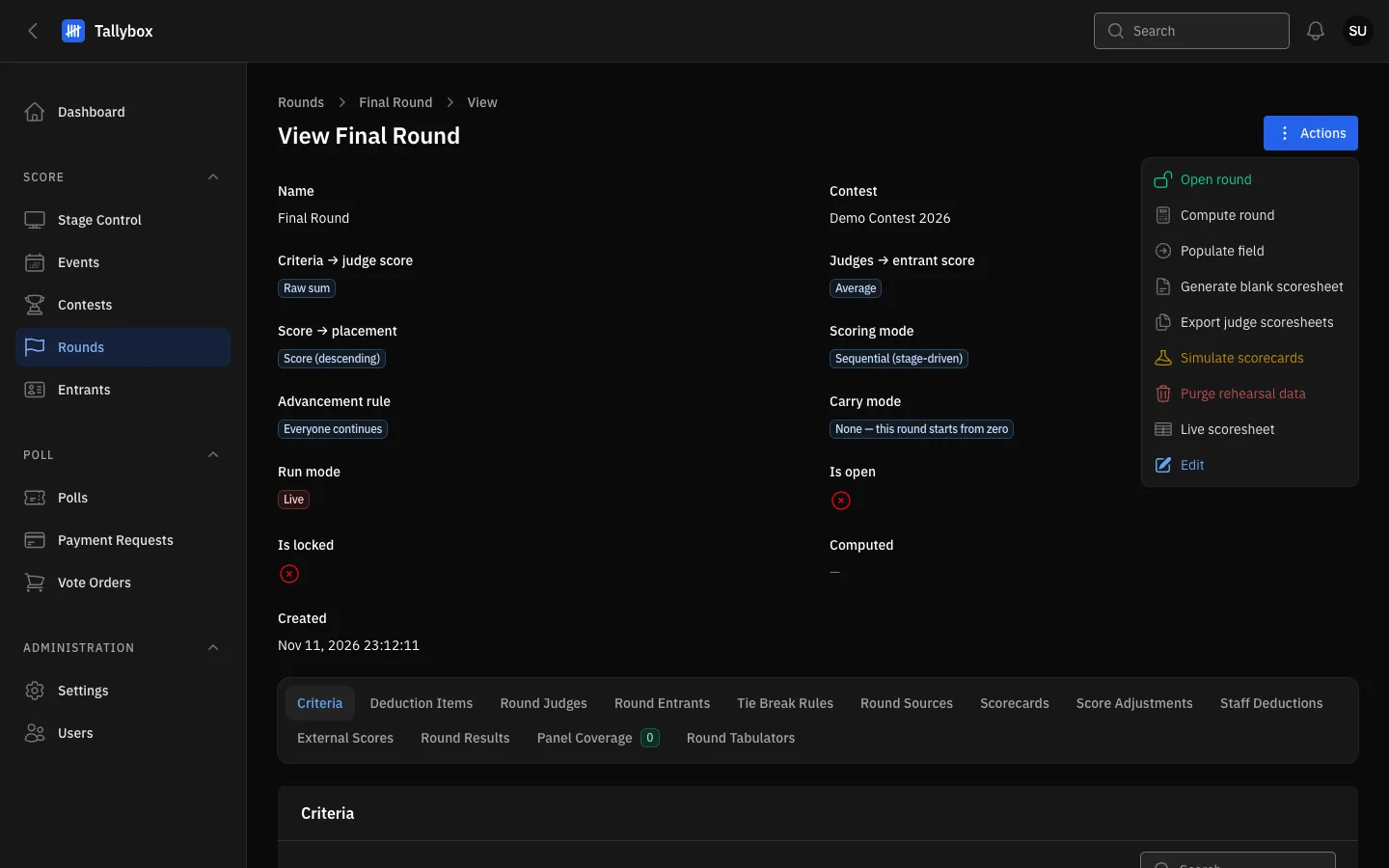
- Actions: every round action lives in this menu.
- Open round: appears only while the round is closed.
- Is open: a red cross means the round is closed.
Close a round
- Open the round and choose Actions, then Close roundThis item replaces Open round while the round is open.
- ConfirmA message says Round closed. Closing also clears the active entrant.
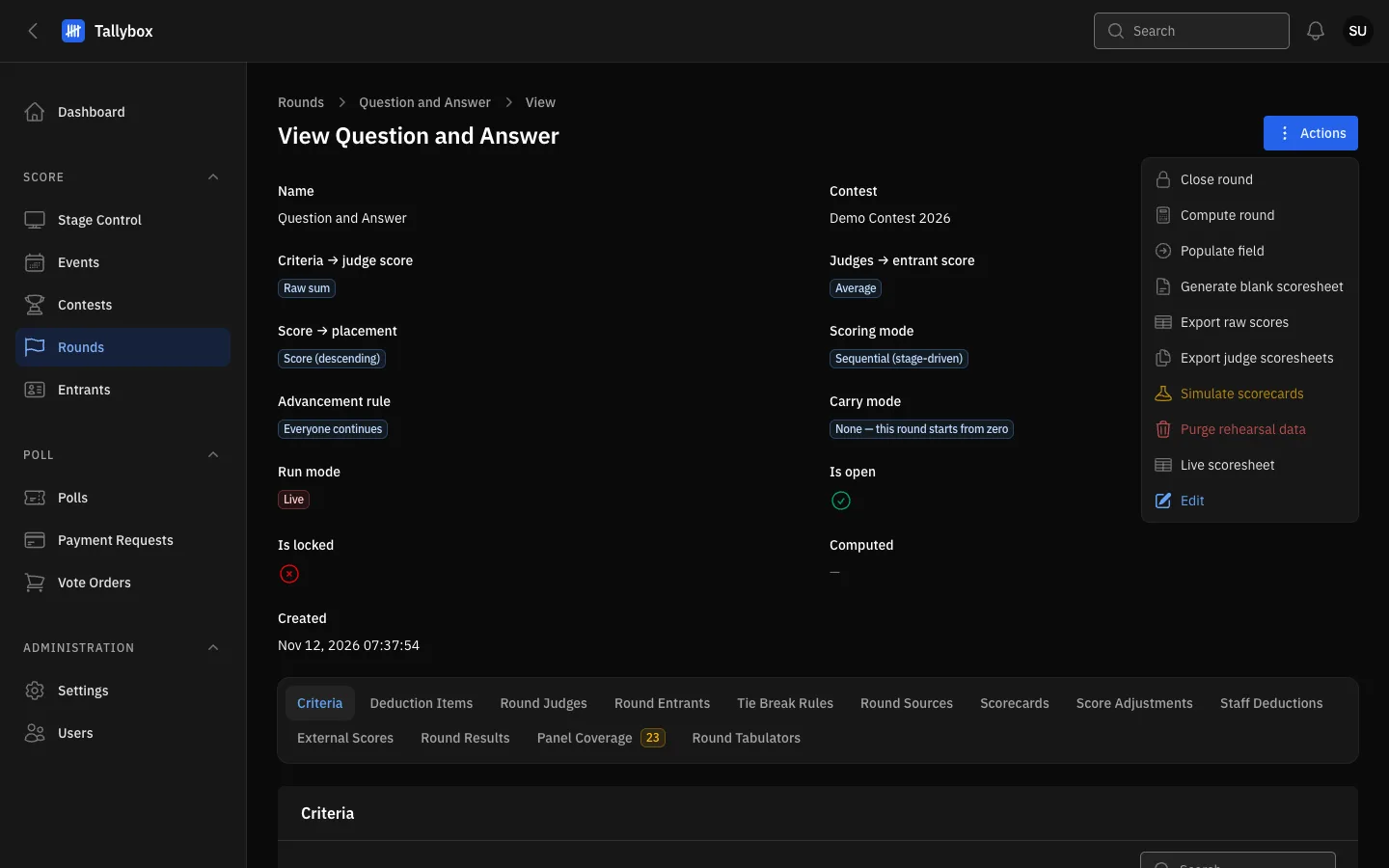
- Close round: appears only while the round is open.
- Live scoresheet: opens the scores as they arrive.
- Panel Coverage tab: the number is how many scorecards are still missing.
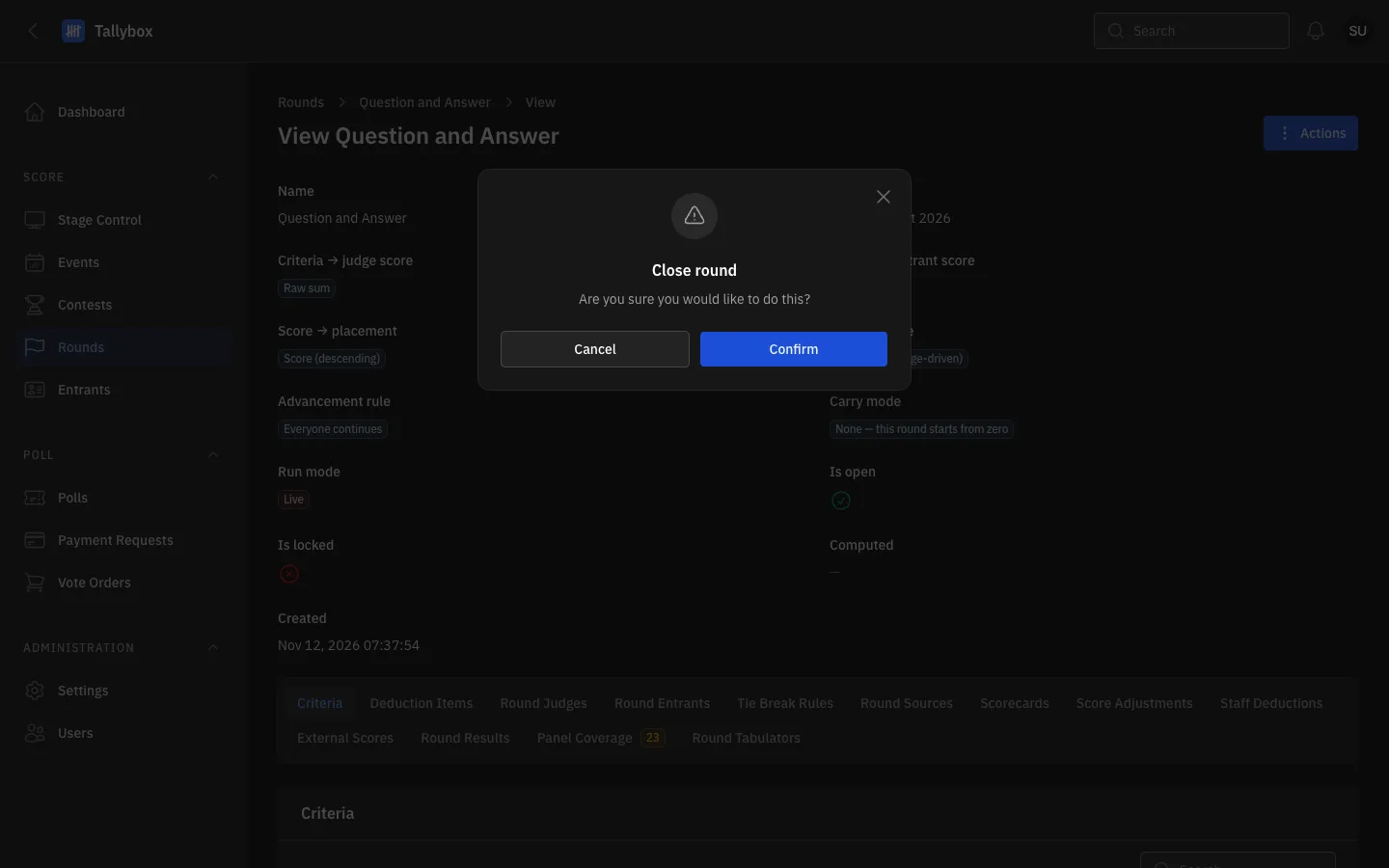
- Cancel: leaves the round open.
- Confirm: closes the round.
Close a round only when every judge has scored every entrant. Check Check that every judge is scoring first. Closing does not compute results. That is a separate step in the Results chapter.
Say who is on stage
Some rounds are scored one entrant at a time, in the order they appear on stage. In those rounds, the Round Entrants tab shows a Set as active button on each row. Choose it for the entrant who is performing now and confirm. Judges see that entrant on their screen.
- Open the round and choose the Round Entrants tab
- Choose Set as active on the entrant who is upThe Active now column marks them. Choosing another entrant moves the mark.
- Between entrants, choose Clear active entrant at the top of the tabThis button appears only while someone is active. Nobody is shown as up until you set the next one.
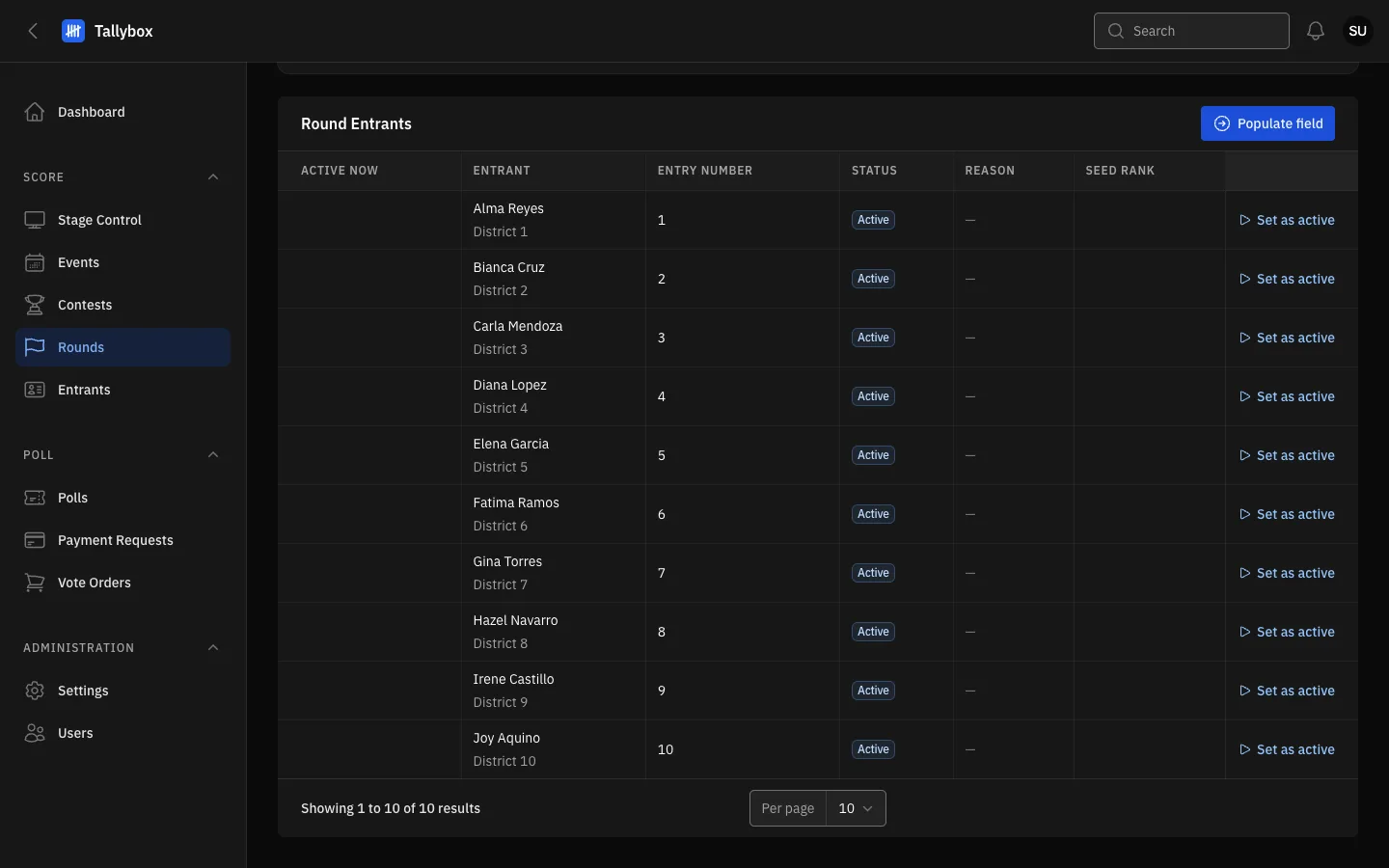
- Active now: marks the entrant who is up. Empty here because nobody is active.
- Set as active: makes this entrant the one being scored.
- Populate field: adds entrants to the round. It does not change who is up.