Record staff deductions
Take points off an entrant for something staff saw, such as running over time.
Who can do thisSuper AdminAdminModeratorAuditorTabulator
A deduction takes points off an entrant's score. Some are entered by the judges. Others are entered by staff, and those live on the round's Staff Deductions tab. Each one belongs to a deduction item that was set up for the round, for example Overtime, with its own allowed range. A staff deduction is taken off every judge's total for that entrant.
Everyone listed above can read the tab. Only a Super Admin, an Admin or a Moderator can record, change or clear a deduction, and only until the results are released. Tabulators see the tab only for rounds they are crewed on.
Open the tab
- Go to Rounds and choose View on the round
- Choose the Staff Deductions tab
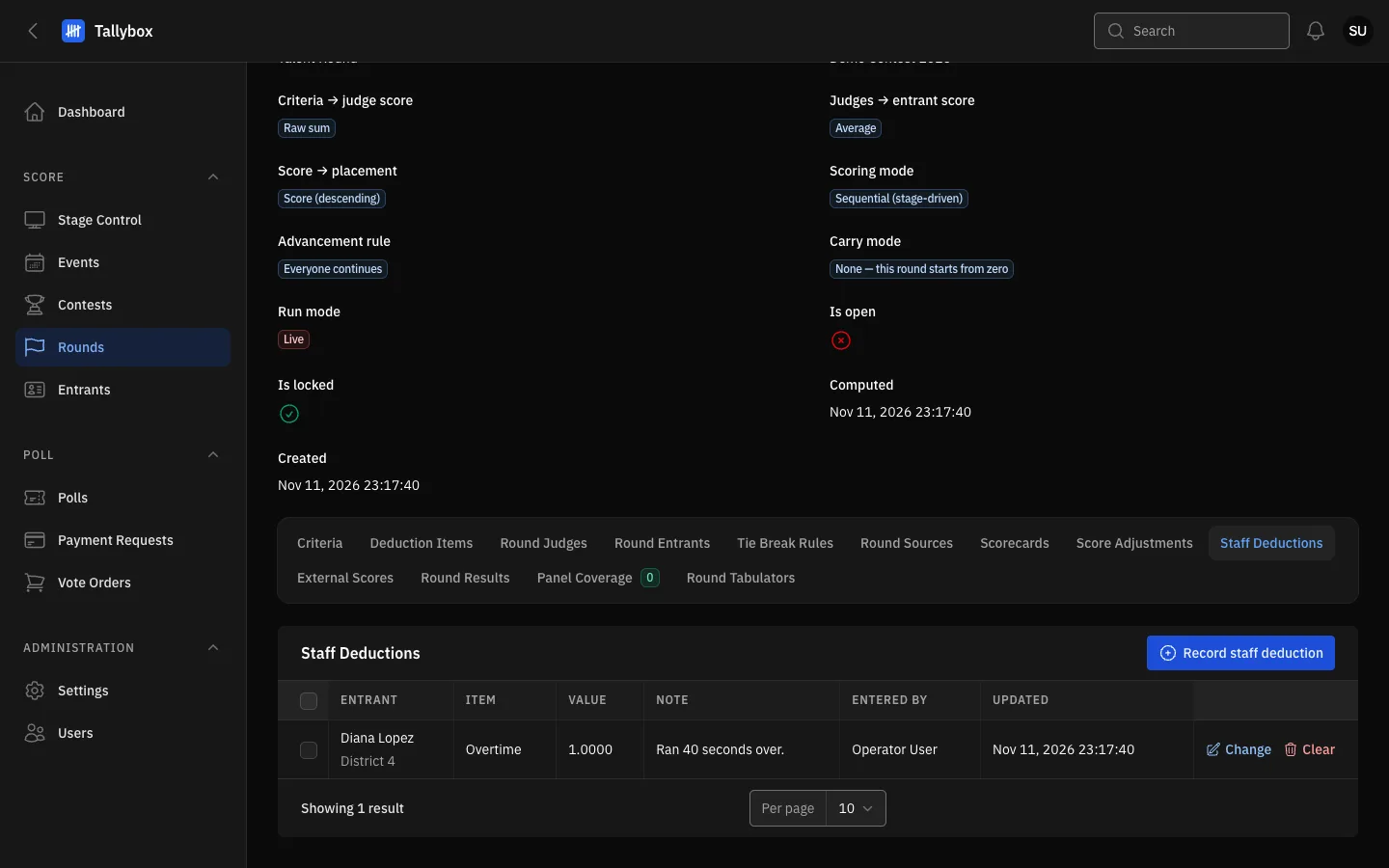
- Staff Deductions tab.
- Record staff deduction: adds a new one (Super Admin, Admin, Moderator).
- Tick box: select rows to clear several at once.
- Change: edits the value or note.
- Clear: removes the deduction.
Record a deduction
- Choose Record staff deduction
- Pick the Entrant and the ItemOnly items that staff enter are listed. If the list is empty, the round has no staff deduction items; an Admin adds them under Deduction Items on the round.
- Type the ValueIt must be within the range of the item.
- Add a Note if it helpsFor example what happened. It is optional and shows in the table.
- Choose Submit
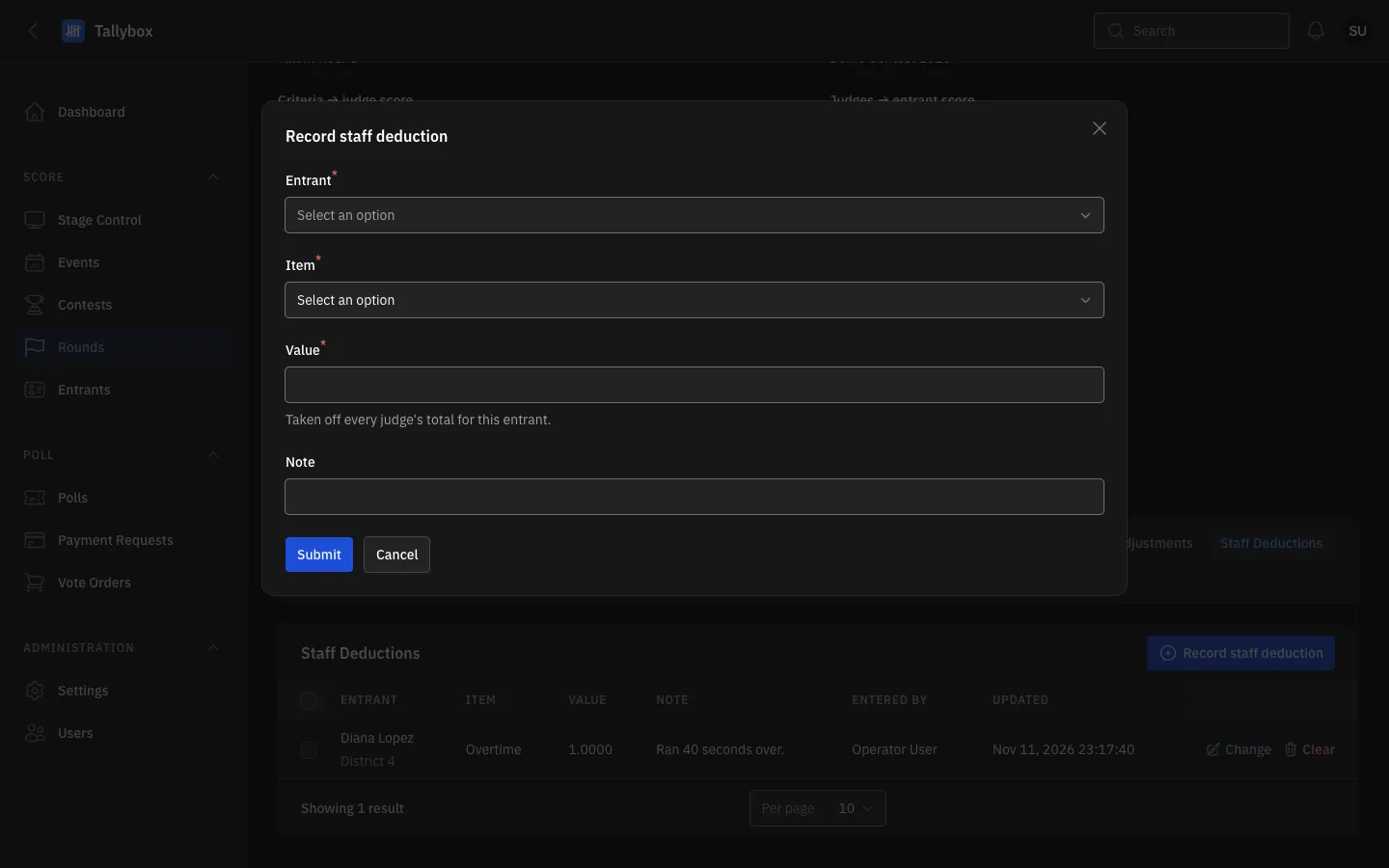
- Entrant: who loses the points.
- Item: the kind of deduction.
- Value: the number of points to take off.
- Note: a short reason, optional.
- Submit: saves it.
Change or clear one
- To correct it, choose Change on the rowEdit the value or note, then Submit.
- To remove it, choose Clear and confirm
Clear several at once
- Tick the rows you want to remove
- Open the Bulk actions menu that appears and choose Clear selected
- Confirm
If some rows cannot be cleared, a red message lists why and the others are still cleared.