Set up awards and resolve them
An award names a prize and says where its winner comes from. Resolving an award fills in the winner from the scores.
Who can do thisSuper AdminAdminAuditorTabulator
An award belongs to a contest. Open the contest and look at the Awards tab. Each row shows the award's name, the results page it prints on, where its winner comes from (Source), the round, the rank, and the winner once there is one.
The Source is either a Round result (the winner is whoever placed at that rank in a round) or a Criterion (the winner is whoever scored best on one criterion, such as Technique).
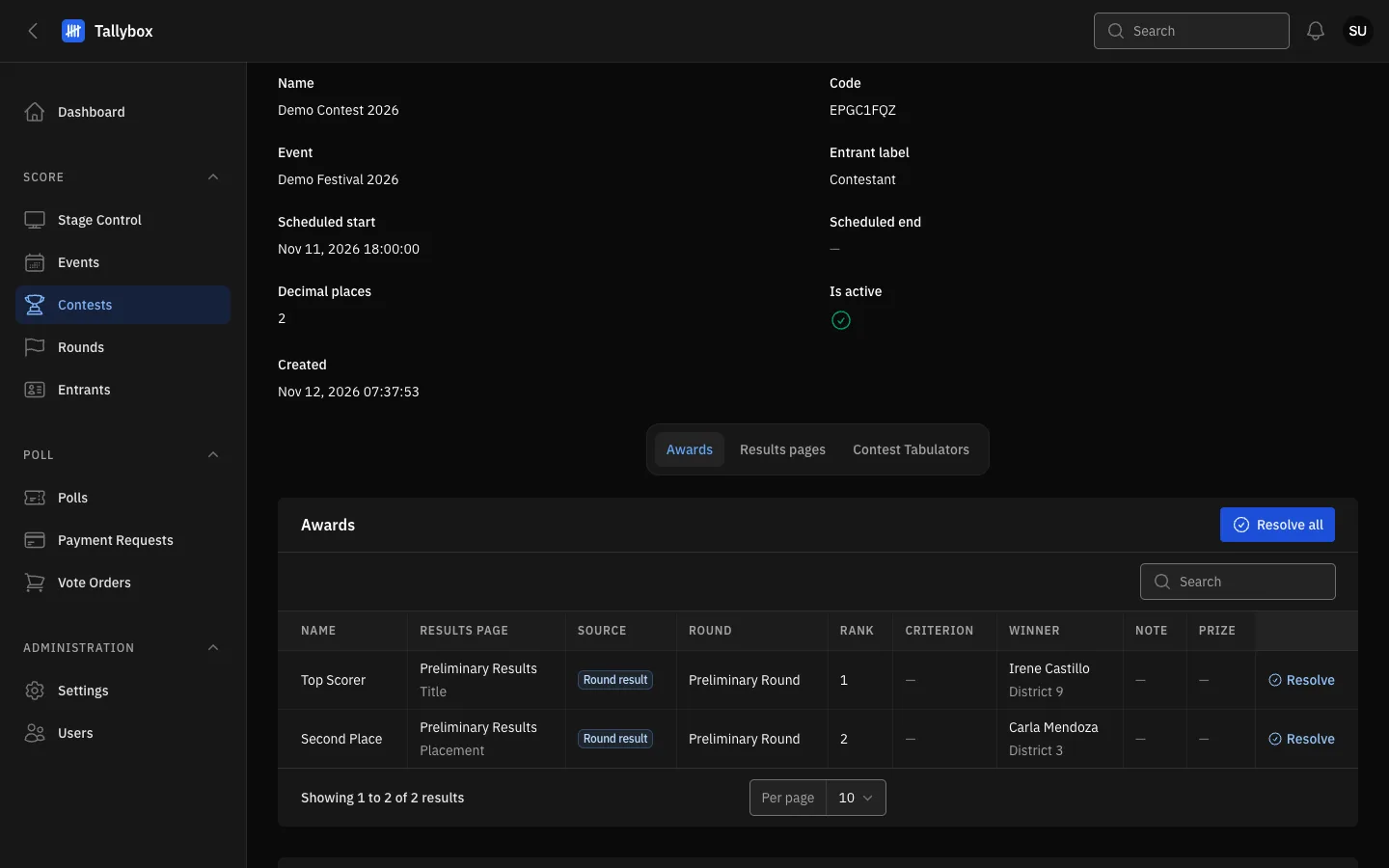
- Resolve all: works out the winner of every award in the contest in one go.
- Results page: the page this award prints on.
- Winner: empty until the award is resolved, or while a tie is unsettled.
- Resolve: works out the winner of this one award.
Add an award
- Open the contest and choose Edit
- Open the Awards tab and choose New award
- Name the award, choose its Source, the round and the rankFor a Criterion award, also pick the criterion.
- Choose a results page if the award should print on oneAwards with no results page show Not printed.
- Choose Create
To change an award, choose Edit on its row (on the contest's Edit page). Delete removes it, and Delete selected in Bulk actions removes several.
Resolve awards
- Open the contest and its Awards tab
- Choose Resolve on one row, or Resolve all at the topA message tells you the winner, or why an award could not be resolved yet.
- If two entrants are tied on a Criterion award, choose Record tie decision on that row and pick who ranks first
- Choose Resolve again after recording the decision
Auditors and Tabulators can see the awards and download tabulation sheets but cannot resolve or change them.