Guide 3.8
Respond to the Needs attention list
Find rounds that are not ready to open and fix what is missing before the event.
Who can do thisSuper AdminAdminModeratorAuditorTabulator
The Needs attention card on the Dashboard lists rounds that are not open yet and would not pass the checks Tallybox runs before a round can open. It is your early warning. Check it before the event and again when you are about to open a round. An empty card says every unopened round is ready.
Read the card
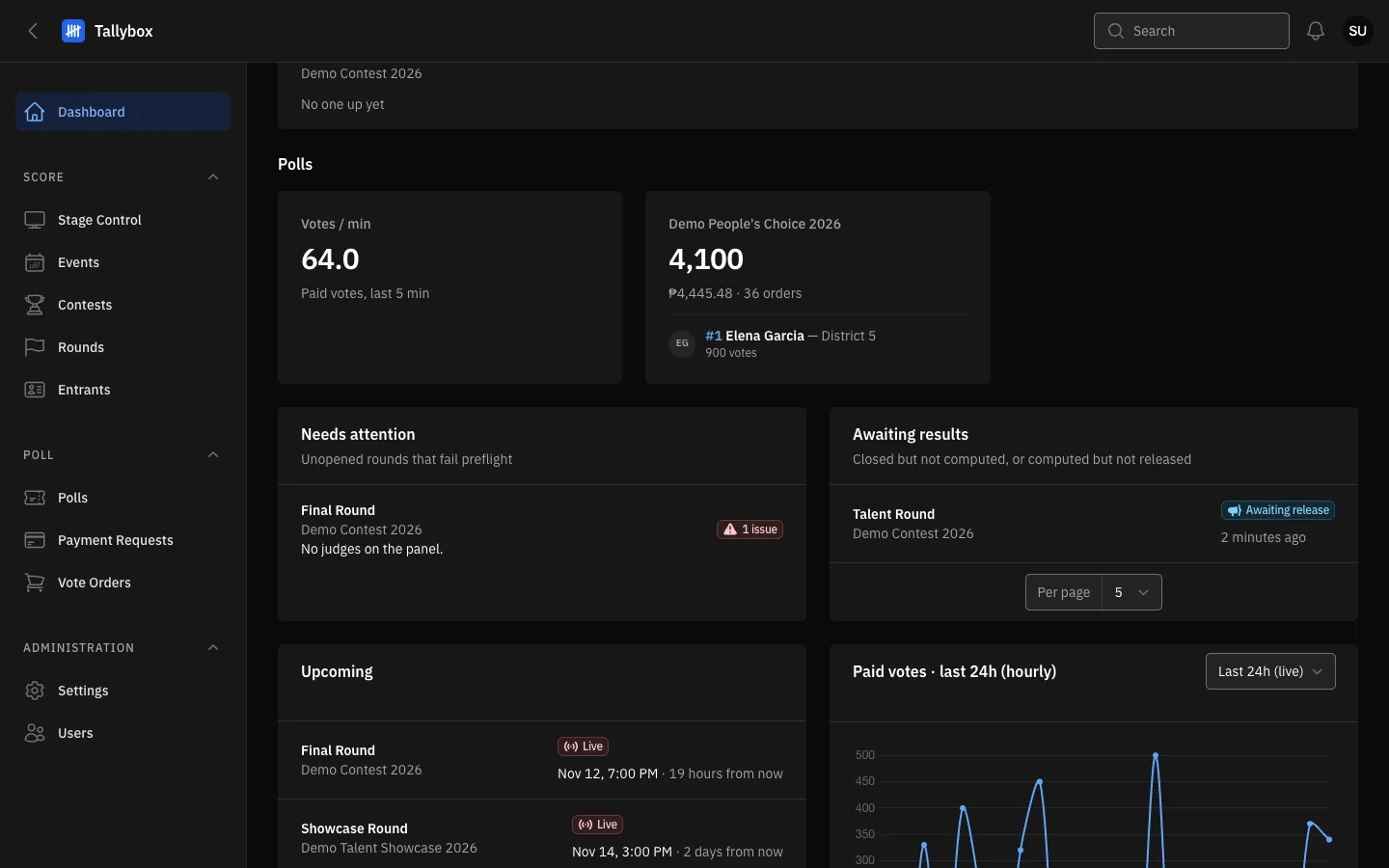
- The round name. Choose it to open the round.
- The first problem found. If there are more, the number of extra ones is shown in brackets.
- Issues: how many problems this round has.
Hover over the problem to see the full list of issues for that round.
Fix a problem
- Choose the round name on the card
- Read the problem and go to the tab that holds the fixFor example Round Judges for "No judges on the panel".
- Make the change, then return to the DashboardThe round leaves the card once it passes. Refresh the page if it is still there.
The most common problems, and where they are fixed:
- No criteria configured, or weights do not add up to 100. Criteria tab. See Configure a round.
- No judges on the panel. Round Judges tab. See Give judges access.
- No entrants in the field. Round Entrants tab. See Put entrants in a round.
- No tie-break chain configured. Tie Break Rules tab. See Break a tie for what the rules do.
- A source round has not been computed. A round that builds on another one needs that one computed first. See Compute results.
- The contest or event is inactive. Reactivate it from the Events or Contests list.
Moderators can see the card but not change set-up. Fixing set-up is done by a Super Admin or an Admin. If you cannot make the change, tell one of them which round and which problem the card shows.
Once it passes, open it. When the round is off the card, you can open it, see Open and close a round.