Guide 4.1
Compute a round's results
Turn the judges' scores for a round into placements. Nothing is shown to the audience until you release them.
Who can do thisSuper AdminAdmin
Computing works out each entrant's score and placement from the scores entered so far. The round's tie-break rules run first, so only a tie they cannot settle is flagged. Computing is private: the audience sees nothing until the results are released. Only a Super Admin or an Admin can compute.
Compute a round
- Go to Rounds and choose View on the round
- Choose Actions, then Compute roundThe button reads Recompute round once the round has results.
- Choose ConfirmPlacements appear in a few seconds. A green "Round computed" message says how many results were worked out.
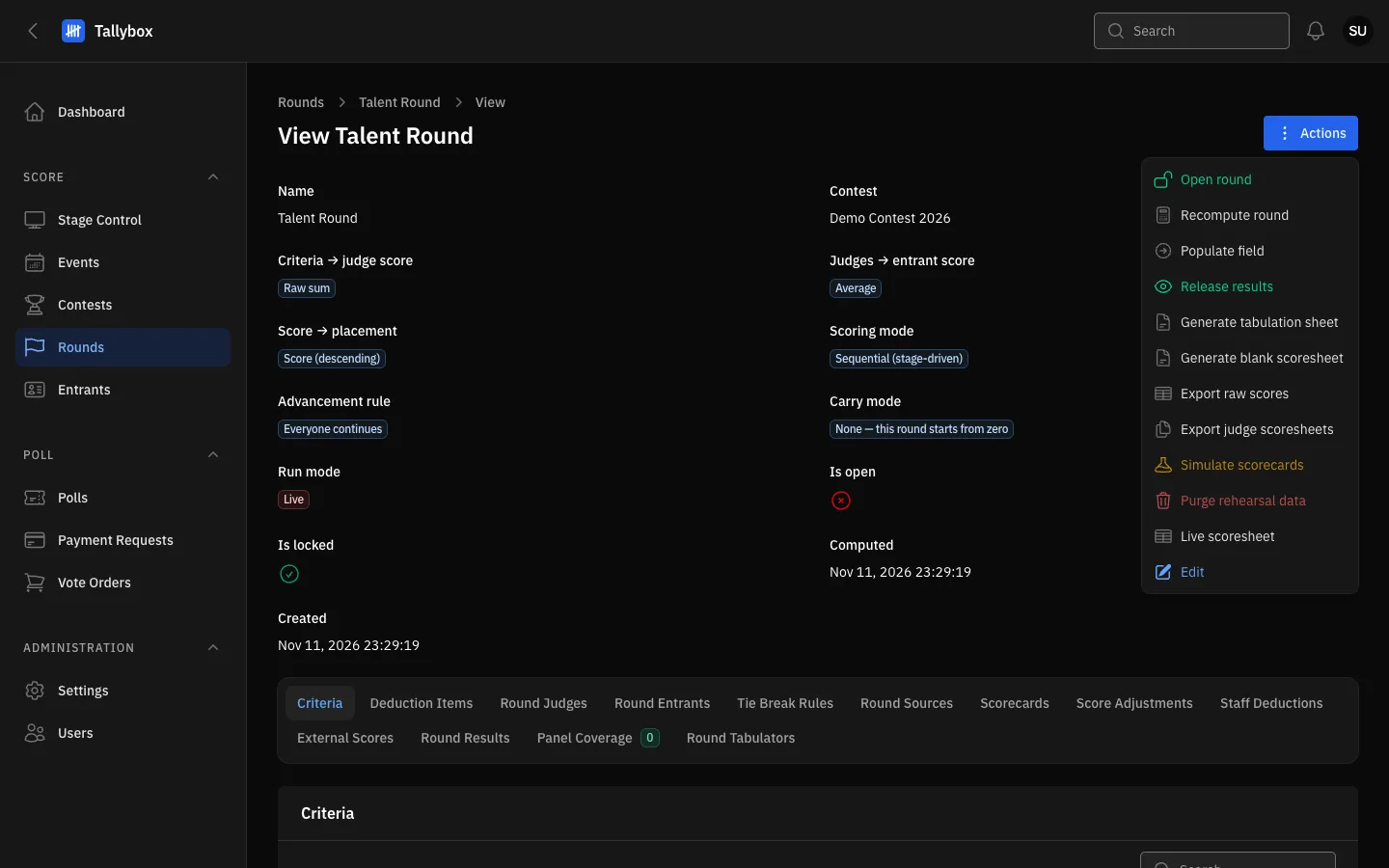
- Recompute round: reads Compute round until the round has results.
- Release results: appears only for a computed round that is not released yet.
Check the placements
- On the same round, choose the Round Results tab
- Read the Rank and Score columnsThe best score is rank 1.
- Look at the Is tied columnA green tick means that entrant is still tied. See Break a tie.
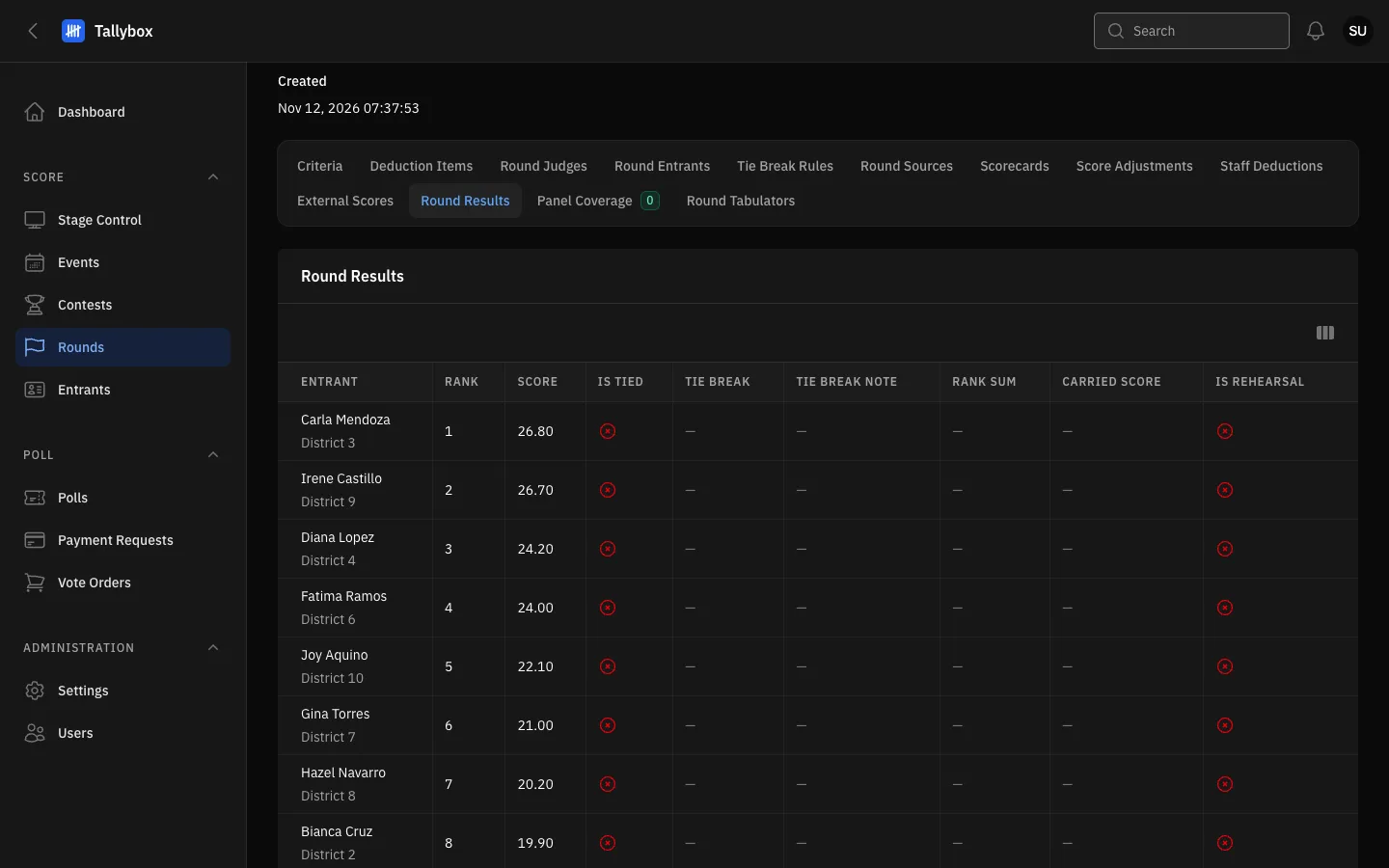
- Round Results tab.
- Rank: the placement of each entrant.
- Is tied: a green tick marks a tie that is still open.
Computing again replaces a recorded tie decision. If you compute after the head judge's decision was recorded, the decision is erased and the tie comes back. Compute first, settle ties last. See Break a tie.
Compute as often as you need. Compute again after any change, such as an amended score or a staff deduction. Each run replaces the last one. You cannot compute while someone else holds control of the contest in Stage Control: Tallybox says so, and you try again when they release control.
How scores become placements is explained in How scoring works.