Rehearse a poll, then switch it to Live
Try a poll from start to finish with test payments, clear the test votes, then switch it to Live before the public votes.
Who can do thisSuper AdminAdmin
Every new poll starts as a rehearsal. In a rehearsal poll, votes are paid through a test payment account, so no real money changes hands. Use it to try the poll the way the public will: pick an entrant, choose a bundle and pay. When you are happy, clear the test votes and switch the poll to Live. Only a Super Admin or an Admin can do this.
Check the run mode
The Run mode badge says Rehearsal in amber or Live in red. You find it in the Run mode column of the Polls list, in the Status box on the poll's Details tab, and at the top of the Edit page. To list only rehearsal polls, use the filter button on the Polls list and pick a Run mode.
Run the rehearsal
- Add the entrants and vote bundlesSee Add, disqualify and reactivate poll entrants and Set up vote bundles.
- Open the pollSee Open and close a poll.
- Vote on the public voting page as a voter wouldTry a few bundles and entrants. The orders show up under Vote Orders and in the poll results, like real ones.
- Close the poll when you have finished testing
Clear the test votes
- Make sure the poll is closedPurge rehearsal votes is greyed out while the poll is Open. Hover over it to see why.
- Choose Actions at the top right, then Purge rehearsal votes
- Read the message, then choose ConfirmA green "Rehearsal votes purged" message says how many vote orders were cleared and what they added up to.
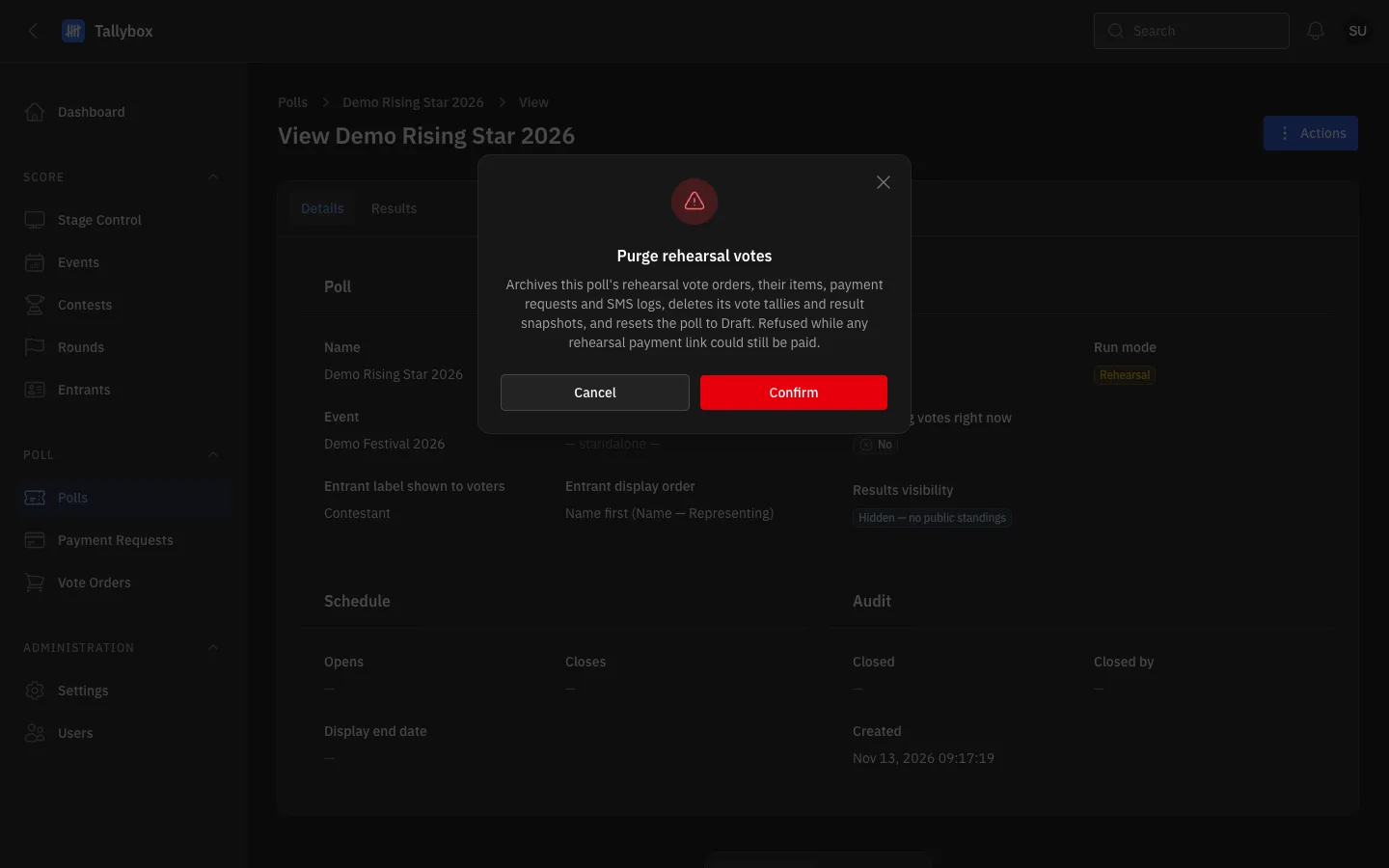
- What purging does: test orders are archived, vote counts and results are cleared, and the poll goes back to Draft.
- Confirm: clears the test votes. There is no undo.
- Cancel: leaves everything as it was.
Purging moves the poll's test vote orders, their payment requests and text messages into an archive. It clears the vote counts and results, and puts the poll back to Draft. The entrants, bundles and settings stay. Purging is refused while a test payment link could still be paid. If that happens, wait a few minutes and try again.
Switch the poll to Live
- Clear the test votes firstSwitch to Live is refused while the poll is Open or still has rehearsal votes.
- Choose Actions at the top right, then Switch to Live
- Choose ConfirmA green "Poll is now Live" message appears, and the Run mode badge turns red.
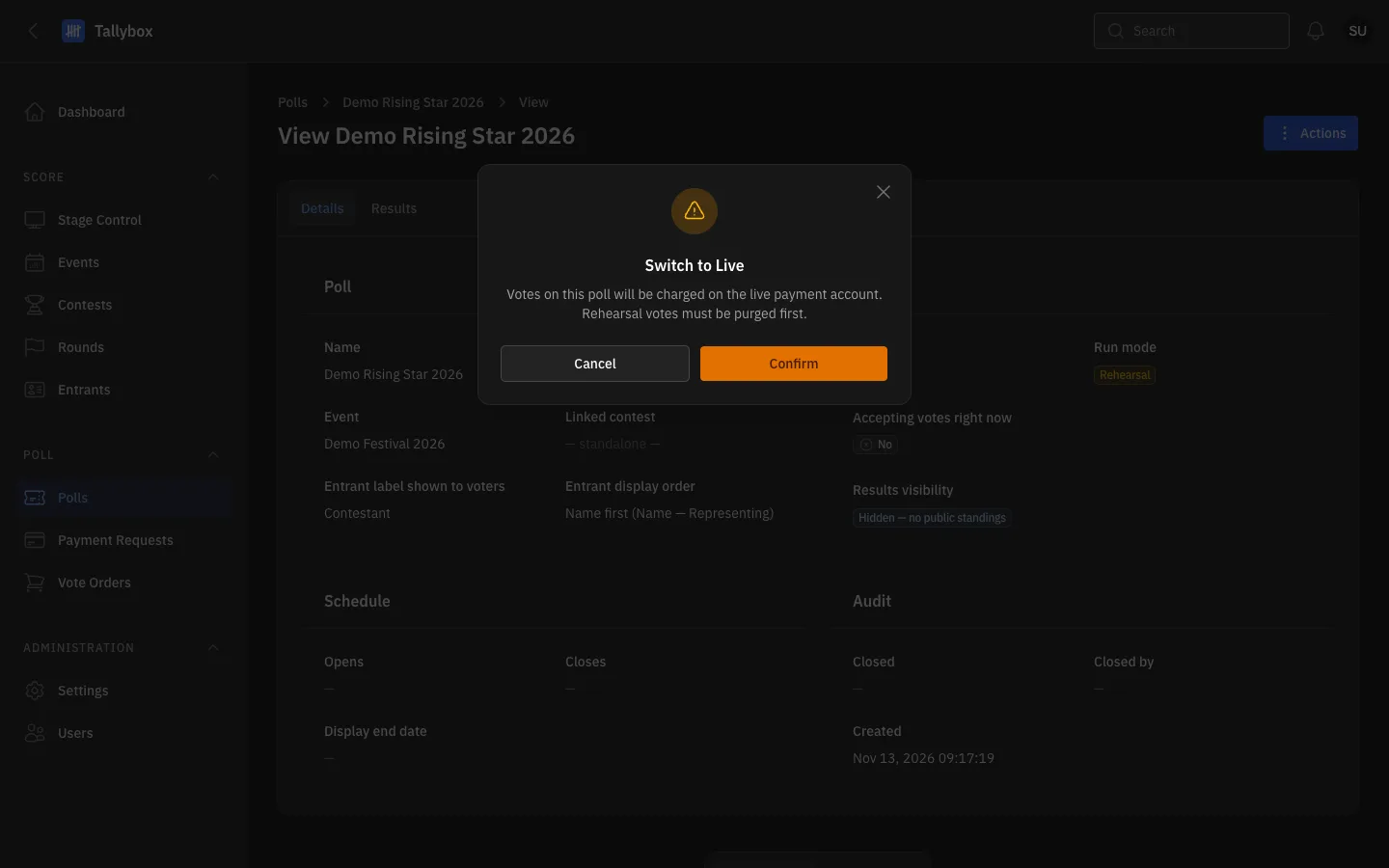
- From now on, votes on this poll are paid for real.
- Confirm: makes the poll Live.
- Cancel: keeps the poll in Rehearsal.
If Tallybox refuses, a red message lists what is still in the way, such as an open poll or test votes that were not cleared. Fix those, then try again. When the poll is Live, open it for the public: see Open and close a poll.
Practising scores for a round works differently and is for Super Admins only. See Run a rehearsal and clear it afterwards.